प्रज्ञा.AI
Web DevelopmentA web-based drawing application that recognizes handwritten mathematical expressions and provides real-time calculations with visual feedback
Technologies
Interactive Math Canvas
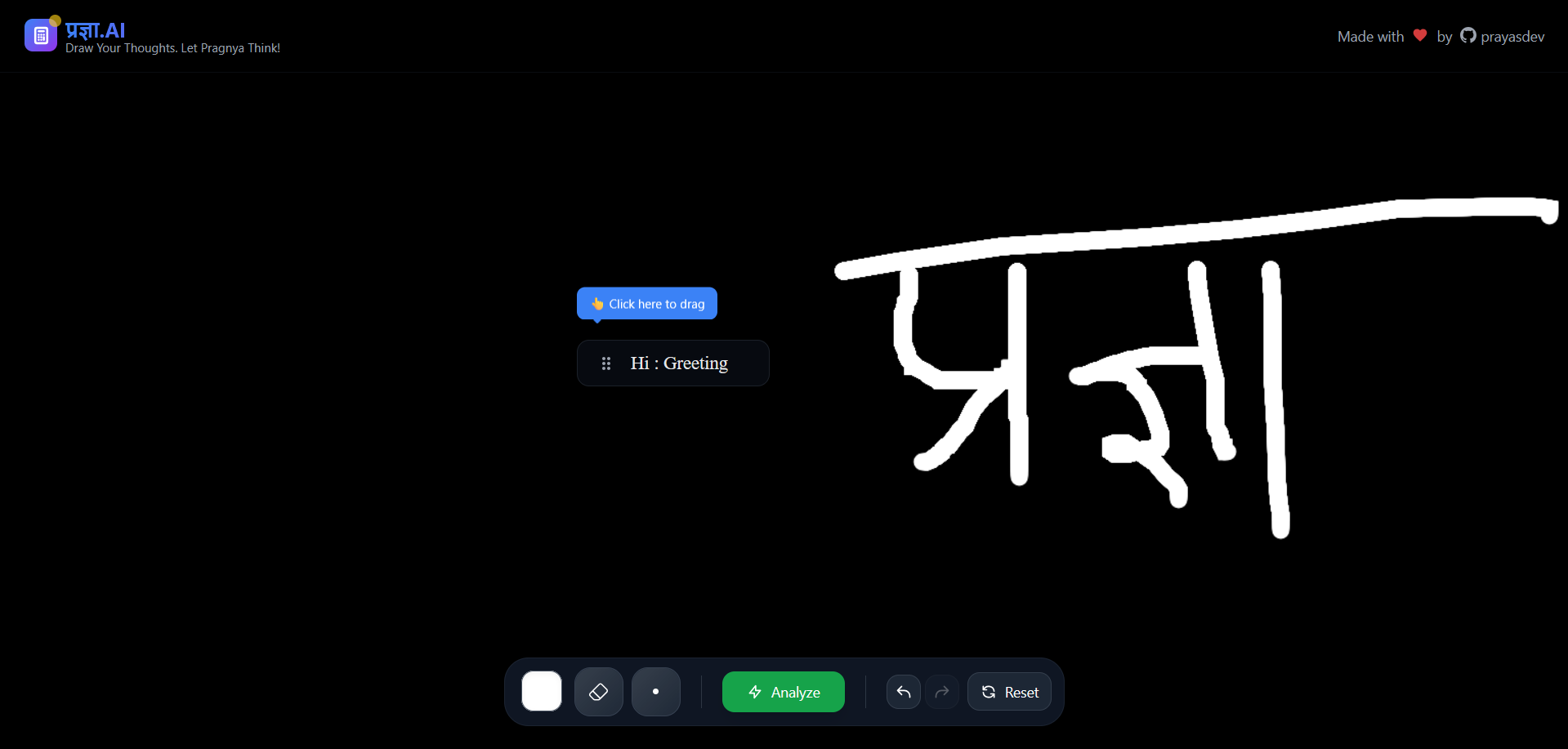
A web-based drawing application that recognizes handwritten mathematical expressions and provides real-time calculations with visual feedback.
🎯 Project Overview
An intelligent canvas application that combines freehand drawing with mathematical expression recognition. Users can draw equations naturally, and the system automatically detects, interprets, and solves mathematical expressions while maintaining a smooth drawing experience.
✨ Key Features
Drawing Tools
- Brush Tool - Natural drawing with customizable colors
- Eraser Tool - Precise erasing with adjustable size
- Color Picker - Full spectrum color selection
- Size Controls - Dynamic brush/eraser sizing
Smart Math Recognition
- Handwriting Detection - Converts drawn math expressions to LaTeX
- Real-time Processing - Instant mathematical computation
- Visual Feedback - Overlay results directly on canvas
- Expression History - Maintains record of solved equations
User Experience
- Keyboard Shortcuts - Professional hotkey support
- Undo/Redo System - Complete action history with instant recovery
- Responsive Design - Works across different screen sizes
🚀 Technical Highlights
Canvas Management
// State-driven canvas with real-time updates
const [isDrawing, setIsDrawing] = useState(false);
const [canvasHistory, setCanvasHistory] = useState([]);
const [historyStep, setHistoryStep] = useState(-1);
Smart Drawing Logic
// Pressure-sensitive drawing with smooth curves
const handleMouseMove = (e) => {
  if (!isDrawing) return;
  // Custom drawing algorithm with optimized performance
};
Keyboard Integration
// Professional shortcuts for enhanced workflow
useEffect(() => {
  const handleKeyDown = (event) => {
    if (event.ctrlKey && event.key === 'z') handleUndo();
    if (event.key === 'b') setBrushMode();
    if (event.key === 'e') setEraserMode();
  };
}, []);
🎮 Keyboard Shortcuts
| Shortcut | Action |
|---|---|
Ctrl + Z | Undo last action |
Ctrl + Y | Redo action |
B | Switch to brush tool |
E | Switch to eraser tool |
Ctrl + Shift + > | Increase brush size |
Ctrl + Shift + < | Decrease brush size |
🛠️ Technology Stack
- Frontend: React with TypeScript
- Canvas API: HTML5 Canvas with custom drawing engine
- Math Processing: LaTeX recognition and computation
- State Management: React Hooks with optimized re-renders
- Styling: Modern CSS with responsive design
💡 Core Innovations
Intelligent Expression Detection
- Advanced algorithms to recognize mathematical notation
- Context-aware parsing of complex equations
- Real-time validation and error handling
Performance Optimization
- Efficient canvas rendering with minimal redraws
- Lazy loading for complex mathematical computations
- Memory-optimized history management
Intuitive User Interface
- Natural drawing experience with pressure sensitivity
- Visual feedback for tool selection and sizing
- Seamless transition between drawing and calculation modes
🎨 Design Philosophy
The application prioritizes natural interaction over complex menus. Users can focus on their mathematical thinking while the interface adapts intelligently to their needs. Every feature is designed to feel intuitive and responsive.
🔧 Key Challenges Solved
- Canvas State Management - Efficient undo/redo with large drawing data
- Math Recognition Accuracy - Balancing speed with precision in expression detection
- Performance at Scale - Maintaining smooth drawing with complex calculations
- Cross-platform Compatibility - Consistent experience across devices
📈 Future Enhancements
- Advanced gesture recognition for geometric shapes
- Collaborative drawing with real-time synchronization
- Export functionality for mathematical expressions
- Integration with external mathematical libraries
This project demonstrates proficiency in React ecosystem, canvas manipulation, mathematical computing, and user experience design.